Download Counter-Strike 1.6 (CS 1.6) for PC
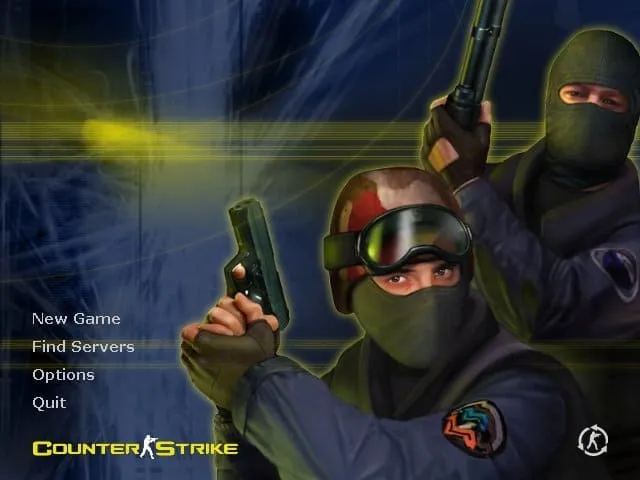
Download Counter-Strike 1.6 for Windows PC by direct EXE or torrent. This classic CS 1.6 client supports online servers and offline practice with bots, uses Protocol 48, keeps the familiar gameplay style, and has low hardware requirements. Below you can check installation steps, Windows compatibility, system requirements and common setup answers.
Download CS 1.6 for Windows
CS 1.6 File Safety & Verification
✓ VirusTotal: 0 / 68 flaggedThe current cs16.exe file has a public VirusTotal report showing that 0 of 68 security vendors flagged the file as malicious in the linked scan. You can open the independent report before downloading and compare the SHA-256 hash with the file you received. The in-game console also reports client build 10815, giving users a concrete way to identify the build they are installing.
c67029fd5ab223d32cd6dd15dffd7be4ce0e505dab4f3ff0777f744a84a7c6f1
VirusTotal results are a useful independent signal, not an absolute guarantee. Keep your operating system and security software enabled when running downloaded executables.
Counter-Strike 1.6 Technical Details
These are the key technical details for the current download, including the client build, network protocol, installer size, download methods, and SHA-256 checksum.
c67029fd5ab223d32cd6dd15dffd7be4ce0e505dab4f3ff0777f744a84a7c6f1Verified client details: the in-game console reports Build 10815, and this client uses Protocol 48. Before launch, you can also compare the installer SHA-256 shown above with the file you downloaded.
Why Download This Counter-Strike 1.6 Client?
This download is intended for players who want a straightforward Counter-Strike 1.6 client for everyday play. It keeps the familiar visual style and weapon models while covering the two main ways people still use CS 1.6: joining online servers and practising offline with bots.
- Classic Counter-Strike 1.6 gameplay and familiar weapon models;
- Direct EXE download plus a torrent option;
- Online multiplayer server support;
- Offline practice with bots;
- Low hardware requirements for older PCs and laptops;
- Support for Windows XP, Vista, 7, 8, 10, and 11;
- Lightweight game client designed for responsive gameplay.
How to Download and Install CS 1.6
- Download the client. Use the main Download CS 1.6 button above and save the installer to your computer.
- Open the installer. Run
cs16.exefrom your Downloads folder. - Choose the installation folder. Select where you want Counter-Strike 1.6 to be installed and complete setup.
- Launch the game. Start CS 1.6 from its shortcut or installation folder.
- Play online or offline. Open the server browser to join an online match, or start a local game with bots.
Before running any downloaded executable, make sure the file comes from the address you intended to use and scan it with your security software.
Play CS 1.6 Online or Practice With Bots
Counter-Strike 1.6 can be played in more than one way. For multiplayer, open the in-game server browser, choose a server with a suitable ping, and connect. If you want to learn maps, test sensitivity, practise aim, or play without an internet match, start a local game and use bots for practice.
This makes the client useful both for players who want public multiplayer servers and for users who prefer offline training before joining a live match.
CS 1.6 on Windows 11, Windows 10, and Older PCs
Counter-Strike 1.6 is a lightweight PC game compared with modern shooters. This client is intended for Windows systems ranging from older versions such as Windows XP and Windows 7 to Windows 10 and Windows 11. Its modest hardware requirements also make it suitable for many older desktops and laptops.
If you use a modern Windows version, keep your graphics driver updated and install the game into a folder where your Windows account has normal write access. If you use an older PC, lowering resolution and closing unnecessary background programs can help keep gameplay responsive.
Counter-Strike 1.6 System Requirements
The requirements of Windows itself apply in addition to the requirements of the game.
Common CS 1.6 Setup Problems
CS 1.6 does not start
Restart Windows, make sure the installation completed successfully, and try launching the game from its installation folder. On modern Windows systems, an up-to-date graphics driver can also prevent display-related launch problems.
No servers appear in Find Servers
Check your internet connection and firewall rules, refresh the server browser, or connect directly when you know a server address by using connect IP:PORT in the console.
Low FPS or unstable gameplay
Close unnecessary background programs, use a lower in-game resolution on older hardware, and test the OpenGL renderer if it is available on your system.
About Counter-Strike 1.6
Counter-Strike 1.6 is a round-based tactical first-person shooter built around two opposing teams: Terrorists and Counter-Terrorists. On bomb-defusal maps such as the classic de_ map family, Terrorists try to plant the bomb while Counter-Terrorists defend the site or defuse it. On hostage-rescue cs_ maps, Counter-Terrorists attempt to rescue hostages while the opposing team prevents them.
The game remains easy to understand but difficult to master. Aim, movement, timing, economy management, map knowledge, positioning, and teamwork all influence the result of a round. That combination is why CS 1.6 is still attractive to players looking for fast competitive matches on modest hardware.

Common CS 1.6 Questions
How do I download CS 1.6?
Use the direct download button on this page to save the installer, or choose the torrent option if you prefer BitTorrent.
Can I play Counter-Strike 1.6 online?
Yes. Open the server browser after launch, select an available server, and connect.
Can I play CS 1.6 with bots?
Yes. Offline bot matches are useful for learning maps, warming up, and practising before joining an online server.
Does CS 1.6 work on Windows 11?
This client is intended for Windows systems including Windows 11 and Windows 10, as well as older supported Windows versions listed in the requirements above.
Can CS 1.6 run on an older laptop?
Its hardware requirements are very low by modern standards, so many older laptops and desktop PCs can run the game.
Is a torrent download available?
Yes. Both a direct EXE download and a torrent file are available from this page.
How much free disk space does CS 1.6 need?
Keep at least 400 MB of free disk space available for the game files.
What build is this CS 1.6 client?
The in-game console reports build 10815. This gives players a concrete build number they can verify after launching the client.
What protocol does this CS 1.6 client use?
This client uses Protocol 48. The protocol value is listed in the technical details above so players can identify the client before choosing a server.
Is this CS 1.6 download checked for malware?
Yes. The public VirusTotal report for this cs16.exe shows 0 of 68 security vendors flagged it as malicious. Open the VirusTotal report and compare the SHA-256 hash before running the file.
Ready to Play Counter-Strike 1.6?
Choose a download method and install the classic CS 1.6 client on your Windows PC.